 Skip to content
Understanding IPTV Encoders: Complete Guide to Stream Setup and Optimization
Streaming high-quality content across the internet can be challenging, especially when you’re dealing with bandwidth limitations and varying device requirements. Many content providers struggle with converting traditional video signals into streamable formats that maintain quality while reducing file sizes. This is where an IPTV encoder becomes essential – transforming raw video content into optimized digital streams that can be delivered efficiently over IP networks.
An IPTV encoder serves as the critical bridge between your content source and viewers, compressing video while preserving quality and ensuring compatibility across platforms. The technology behind these encoders has evolved significantly, making professional-grade streaming more accessible than ever before. Before investing in an encoding solution, it’s wise to understand how various options perform with your specific content. Try a free IPTV trial to experience how properly encoded streams perform on different devices.
What Is an IPTV Encoder?
An IPTV encoder is specialized hardware or software that converts audio and video signals into digital data streams compatible with Internet Protocol (IP) networks. This conversion process allows traditional broadcast content to be transmitted over the internet for streaming services. The encoder compresses raw video inputs (like HDMI, SDI, or component video) into bandwidth-efficient digital formats such as H.264/AVC or H.265/HEVC.
Modern IPTV encoders typically handle several crucial functions:
– Signal acquisition from various sources (cameras, media players, broadcast feeds) – Video compression using specialized codecs – Audio processing and synchronization – Stream packaging into appropriate protocols (HLS, RTMP, UDP) – Quality control and monitoring
The efficiency and quality of this encoding process directly impact the viewer’s experience. High-quality encoders maintain visual fidelity while reducing bandwidth requirements, enabling smooth playback across various network conditions. Authority streaming reference explains how these technologies have transformed television distribution models globally.
Why Users Search for IPTV Encoders
The growing interest in IPTV encoders stems from several key motivations:
Content Distribution Needs
Organizations with video content – from television broadcasters to corporate communications teams – need efficient ways to distribute their content to viewers on multiple devices. An IPTV encoder provides the technical foundation for this distribution.Cost Reduction
Traditional broadcasting infrastructure requires significant investment. IPTV solutions generally offer lower entry costs and operational expenses while potentially reaching larger audiences.Flexibility and Scalability
Unlike conventional broadcast systems with fixed infrastructure, IPTV encoding solutions can scale dynamically to meet changing demands and reach global audiences instantly.Quality Demands
As viewers expect higher resolution content (4K and beyond), content providers need advanced encoding solutions that balance quality with bandwidth efficiency.The migration toward IP-based video delivery represents a fundamental shift in how media content reaches audiences, as outlined by Trusted industry source. This transition necessitates specialized equipment like IPTV encoders that can bridge traditional and modern distribution models.
Key Information: How IPTV Encoders Work
At their core, IPTV encoders perform a sophisticated transformation process. Understanding this process helps in selecting the right encoder for your needs:
1. Signal Input: The encoder receives raw video/audio input from sources like cameras, media players, or broadcast feeds.
2. Preprocessing: The input undergoes initial processing, including deinterlacing, noise reduction, and format conversion.
3. Compression: The preprocessed content is compressed using codecs like H.264 or H.265, dramatically reducing file size while preserving quality.
4. Packetization: Compressed data is divided into network packets formatted according to streaming protocols.
5. Transmission: The encoded stream is delivered via various protocols (RTMP, HLS, UDP) to servers or content delivery networks.
IPTV Encoder Comparison
| Feature | Hardware Encoders | Software Encoders | Cloud Encoders | |———|——————-|——————-|—————-| | Cost | Higher initial investment | Lower upfront cost | Subscription-based | | Performance | Dedicated processing power | Depends on host computer | Scalable on demand | | Reliability | Typically more stable | May be affected by OS issues | Dependent on internet connection | | Portability | Limited, physical device | Highly portable | Accessible anywhere | | Latency | Generally lower | Variable | Variable (network dependent) | | Scalability | Limited by hardware | Upgradeable with PC hardware | Highly scalable | | Best For | 24/7 broadcasting operations | Occasional streaming, testing | Variable workloads |
This comparison highlights how different encoder types serve varying needs based on your streaming requirements, budget, and technical capabilities.
Setup & Preparation
Setting up an IPTV encoder requires careful preparation to ensure optimal performance. The process typically takes between 1-3 hours for basic configurations and potentially longer for complex integrations.
Before You Begin:
1. Assess Your Content Requirements – Content type (live vs. pre-recorded) – Video quality needs (resolution, framerate) – Expected viewership numbers – Distribution platforms
2. Network Infrastructure Preparation – Ensure sufficient upload bandwidth (at least 5-10 Mbps for HD content) – Configure network for quality of service (QoS) if available – Establish static IP or DDNS if needed for streaming servers
3. Select Appropriate Hardware – For hardware encoders: Verify input compatibility with your content source – For software encoders: Ensure computer meets minimum specifications – Acquire any necessary capture cards or converters
4. Destination Setup – Configure streaming server or CDN account – Obtain streaming endpoints, keys, and credentials – Set up content distribution platforms
This preparation phase is crucial for smooth implementation and helps prevent technical issues during the actual encoding process.
WCIPTV Context
WCIPTV offers a comprehensive streaming solution that integrates seamlessly with various encoding setups. Whether you’re using a hardware IPTV encoder or software-based encoding, WCIPTV’s infrastructure is designed to handle the encoded streams efficiently and deliver them to viewers with minimal latency.
The platform stands out for its exceptional stability, maintaining reliable connections even during peak viewing hours when many other services struggle. This stability is particularly valuable when working with hardware encoders in professional broadcasting environments where downtime isn’t an option.
Device compatibility is another strength, with WCIPTV supporting a wide range of viewing devices from smart TVs and streaming boxes to mobile phones and web browsers. This universal compatibility ensures that your carefully encoded content reaches viewers regardless of their preferred viewing method.
Before committing to any encoding setup or streaming provider, it’s advisable to test the complete pipeline to ensure compatibility and performance meet your expectations. Visit WCIPTV to learn more about how their platform complements various encoding solutions.
Step-by-Step Instructions for Setting Up an IPTV Encoder
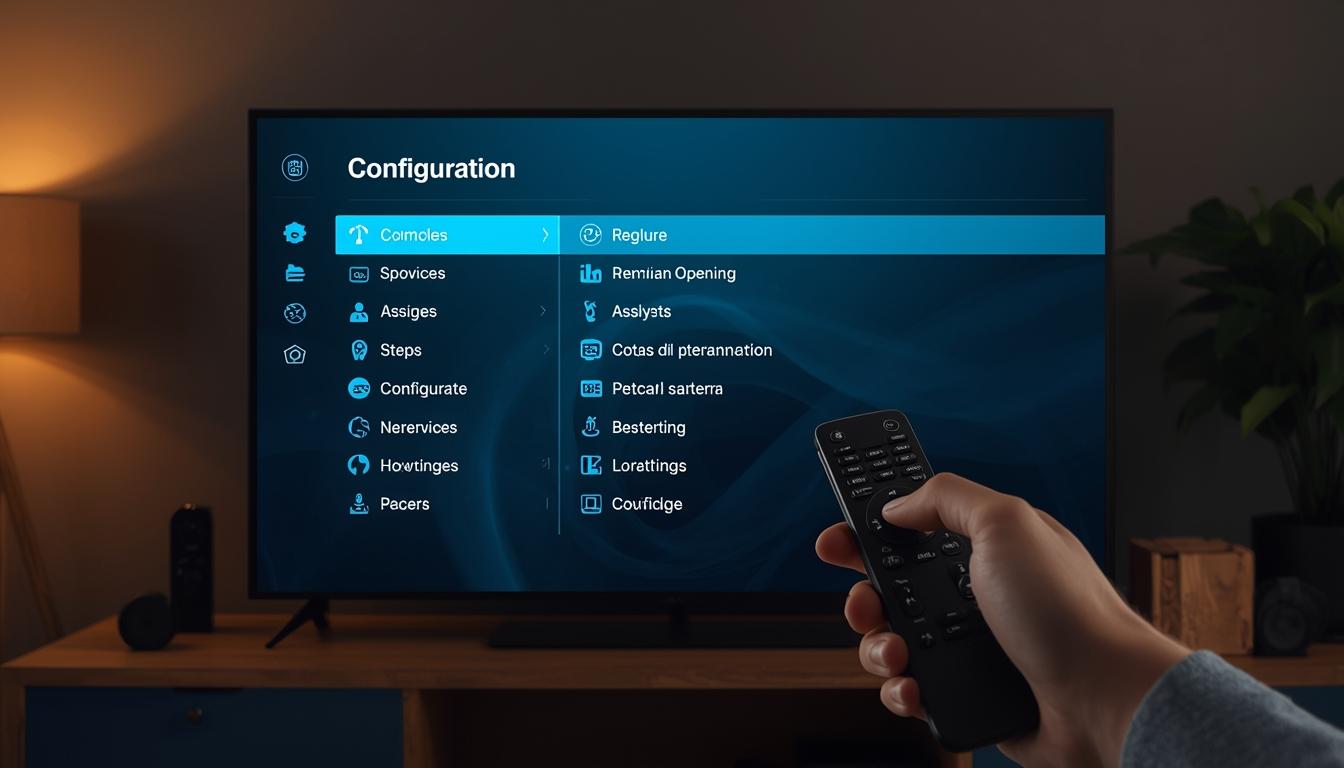
Following these structured steps will help you implement your IPTV encoder efficiently:
1. Physical Connections and Basic Configuration
1. Connect your video source (camera, video player, etc.) to the encoder using appropriate cables (HDMI, SDI, etc.) 2. Connect the encoder to your network via Ethernet (recommended over WiFi for stability) 3. Power on the encoder and wait for initialization 4. Access the encoder’s management interface (web UI or control application) 5. Configure basic network settings (IP address, subnet mask, gateway)
2. Input Configuration
1. Select the appropriate input source in the encoder settings 2. Configure resolution, frame rate, and color space to match your source 3. Set up audio inputs and adjust levels 4. Enable any desired preprocessing features (deinterlacing, noise reduction, etc.)
3. Encoding Profile Setup
1. Create encoding profiles for each desired output quality 2. Select appropriate codec (H.264/AVC for compatibility, H.265/HEVC for efficiency) 3. Set bitrate parameters: – For HD (1080p): 3-6 Mbps – For 4K: 8-15 Mbps 4. Configure keyframe interval (2-3 seconds recommended for streaming) 5. Set audio codec and bitrate (AAC, 128-192 Kbps for stereo)
4. Output Stream Configuration
1. Configure streaming protocol (RTMP for services like YouTube, HLS for wider compatibility) 2. Enter streaming destination details (URL/server address, stream key) 3. Set up stream identifier and metadata 4. Enable error correction features if available 5. Configure any redundancy options for critical streams
5. Testing and Monitoring
1. Start a test stream at lower bitrates first 2. Verify stream reception at the destination 3. Monitor encoder performance metrics (CPU usage, temperature, dropped frames) 4. Gradually increase quality settings while ensuring stability 5. Document optimal settings for future reference
Following these steps ensures a methodical approach to implementing your IPTV encoder, reducing the likelihood of configuration errors and stream issues.
Devices & Compatibility
The effectiveness of your IPTV encoder depends significantly on compatibility with both input sources and downstream distribution platforms. Here’s what you need to know:
Input Compatibility
Most professional IPTV encoders support these common input types: – HDMI (consumer and professional versions) – SDI (SD/HD/3G/6G/12G variants) – Component video – Composite video – NDI (Network Device Interface) – SRT (Secure Reliable Transport)
Output Format Compatibility
Your encoder should output formats compatible with your distribution targets: – HLS (HTTP Live Streaming) – Ideal for broad device compatibility – RTMP (Real-Time Messaging Protocol) – Standard for many streaming platforms – SRT – Emerging standard for low-latency transmission – UDP/RTP – Often used in closed IPTV networks – MPEG-DASH – Adaptive bitrate streaming standard
Viewing Device Considerations
Ensure your encoding parameters align with the capabilities of target viewing devices: – Smart TVs may struggle with high-bitrate HEVC content – Mobile devices benefit from adaptive bitrate streams – Set-top boxes often have specific protocol requirements – Web browsers typically require HLS or DASH formats
When selecting an IPTV encoder, prioritize those that offer multiple simultaneous outputs in different formats, allowing you to reach the widest possible audience without compromising quality.
Tips for IPTV Encoder Optimization
Maximizing the performance of your IPTV encoder requires attention to several key optimization areas:
Bitrate Management
– Implement variable bitrate encoding (VBR) for pre-recorded content to improve quality – Use constant bitrate encoding (CBR) for live streams to ensure stability – Create bitrate ladders (multiple quality levels) for adaptive streaming: – 6000 Kbps – 1080p primary stream – 3000 Kbps – 720p medium quality – 1500 Kbps – 480p low bandwidth option – 800 Kbps – Mobile fallback option
Encoding Efficiency
– Use the x264 “medium” or “slow” preset for better compression efficiency when possible – Enable advanced encoding features like adaptive quantization and look-ahead – Consider using scene detection for pre-recorded content – Implement proper audio normalization before encoding – Match your frame rate to your content source (don’t upconvert unnecessarily)
Hardware Utilization
– For hardware encoders: Ensure proper cooling and ventilation – For software encoders: Allocate sufficient CPU resources – Enable hardware acceleration when available (NVENC, QuickSync, etc.) – Monitor system resource usage and adjust settings if approaching limits
Network Considerations
– Use wired connections for encoder-to-internet connectivity – Implement forward error correction when available – Configure QoS on your network to prioritize encoder traffic – Consider redundant internet connections for critical streams
Implementing these optimization strategies will significantly improve both the quality and reliability of your IPTV encoder output.
Troubleshooting Common IPTV Encoder Issues

Even well-configured IPTV encoders can encounter problems. Here’s how to identify and resolve common issues:
Poor Video Quality
Problem: Blocky artifacts, blurry image, or pixelation Solutions: – Increase encoding bitrate if bandwidth permits – Check source signal quality and connection integrity – Reduce resolution if bitrate cannot be increased – Verify preprocessing settings (sharpen, denoise) aren’t too aggressive
Stream Disconnections
Problem: Stream repeatedly drops or fails to maintain connection Solutions: – Check network stability and available bandwidth – Reduce bitrate to ensure stable transmission – Verify streaming destination server is functioning properly – Implement connection resilience features (automatic reconnect) – Use more robust protocols like SRT for unstable networks
Audio/Video Sync Issues
Problem: Audio leads or lags behind video Solutions: – Enable audio/video synchronization in encoder settings – Check for drift compensation features – Verify source doesn’t already have sync issues – Consider adjusting buffer settings – As a last resort, add manual A/V delay correction
Encoder Overheating
Problem: Encoder becomes hot, potentially shutting down or degrading performance Solutions: – Ensure proper ventilation around hardware – Reduce encoding complexity if using software encoder – Check for dust accumulation in hardware encoders – Monitor temperature and implement automatic throttling – Consider environmental cooling improvements
High Latency
Problem: Significant delay between live action and viewer reception Solutions: – Reduce buffer sizes in encoder settings – Use low-latency protocols (SRT, WebRTC, or Low-Latency HLS) – Decrease keyframe interval (be careful not to go too low) – Evaluate CDN performance and consider alternatives – Simplify encoding profile to reduce processing time
Diagnosing these issues methodically helps maintain optimal performance from your IPTV encoder investment and ensures viewers receive the best possible experience.
Conclusion
The IPTV encoder represents a fundamental component in the modern video delivery ecosystem, bridging conventional content sources with IP-based distribution networks. As streaming continues to dominate media consumption, the importance of efficient, reliable encoding solutions only grows. Whether you’re implementing a simple single-channel setup or a complex multi-stream configuration, understanding the principles and best practices of IPTV encoding is essential.
The technology continues to evolve rapidly, with newer codecs like AV1 promising even greater efficiency, and edge computing models bringing encoding capabilities closer to content creation points. For content providers, broadcasters, and streaming services, staying current with encoding technology offers competitive advantages in quality, reach, and cost-effectiveness.
Remember that your choice of IPTV encoder should align with your specific needs – considering factors like expected viewership, quality requirements, technical capabilities, and budget constraints. By applying the configuration steps and optimization techniques outlined in this guide, you’ll be well-equipped to implement a robust encoding solution that delivers exceptional streaming experiences.
Frequently Asked Questions
What is the difference between a hardware and software IPTV encoder?
Hardware IPTV encoders are dedicated physical devices with specialized components designed specifically for video encoding. They typically offer greater reliability, consistent performance, and lower latency than software alternatives. Software encoders run on general-purpose computers and offer greater flexibility, easier updates, and often lower initial costs, but may require more powerful host systems to match hardware encoder performance.
How much bandwidth do I need for my IPTV encoder?
The required bandwidth depends on your quality targets and number of streams. As a general guideline, a single 1080p stream at good quality needs approximately 4-6 Mbps upload bandwidth. A 720p stream requires about 2-4 Mbps, while 4K content can demand 10-20 Mbps or more. Always ensure you have 20-30% additional bandwidth overhead to accommodate network fluctuations.
Can I use an IPTV encoder for both live and pre-recorded content?
Yes, most IPTV encoders support both live inputs (cameras, live feeds) and pre-recorded content (files, playlists). However, the optimal settings differ between these use cases. Live content typically requires constant bitrate encoding and real-time processing, while pre-recorded content can benefit from multi-pass encoding and variable bitrate for improved quality at the same file size.
How do I reduce latency in my IPTV encoder setup?
To reduce latency, consider these approaches: 1) Use protocols designed for low latency like SRT or WebRTC, 2) Decrease buffer sizes in your encoder settings, 3) Reduce GOP (keyframe interval) length, 4) Use hardware acceleration when available, 5) Choose a CDN with edge servers close to your viewers, and 6) Consider using UDP-based protocols in controlled network environments.
What’s the most important specification to look for in an IPTV encoder?
While needs vary by use case, the most universally important specifications include supported input types (ensuring compatibility with your content sources), available output formats/protocols (for compatibility with distribution platforms), maximum encoding resolution and framerate (for quality capabilities), and encoding efficiency (affecting bandwidth requirements and quality). For professional applications, reliability features like redundant power supplies and automatic failover capabilities are also critical considerations.



